Start with a free evaluation,then pick the licence your team needs
The Evaluation Edition is free with no time limit, ideal for getting to know the platform. When you need more projects, members and computing power, apply for a 30-day full-featured trial, or choose a subscription or perpetual licence.
Full licences are activated with a licence file: download a registration file from the platform, send it to us, and upload the licence file you get back. It works on offline intranet machines too.
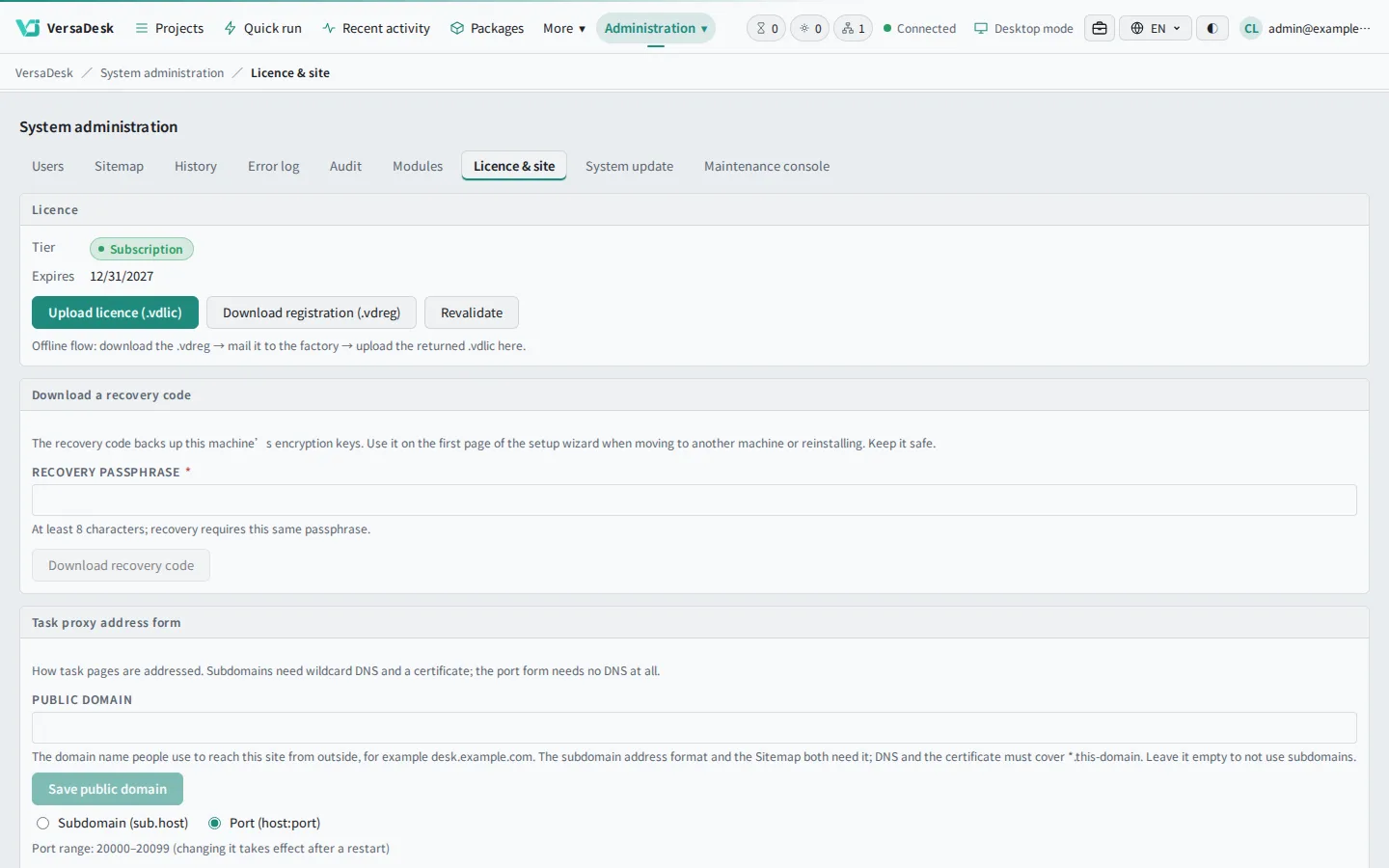
Download a registration file from the licence page
Receive your licence file
01
Download a registration file from the licence page
02
Send the registration file to us
03
Receive your licence file
04
Upload it: active right away
VersaDesk
01
The licence page shows your licence and its term.
When a licence ends, your data stays
When a trial ends or a subscription passes its grace period, most features pause, but projects, files and run records are kept in full and File Manager stays open for backups. Upload a new licence and everything is back at once; paused tasks continue where they stopped.
VersaDesk Lite
Licence ended: most features pause; files and projects stay open.New licence uploaded: back at once, tasks continue.
AI packages
AvailablePaused
Applications
AvailablePaused
Running task
AvailablePaused
File Manager
AvailablePaused
Projects and records
AvailablePaused
Illustration
Licence ended: most features pause; files and projects stay open.
Licence valid: everything works.
Licence ended: most features pause; files and projects stay open.
New licence uploaded: back at once, tasks continue.
App Store packages and licences
Free packages install under every licence; paid packages depend on the licence.
Free packages
Install and update under every licence.
Subscription: unlimited paid packages
Install and update every paid package during the subscription.
Other licences: buy one by one
Evaluation, trial and perpetual licences can buy paid packages individually, with lifetime updates.
Questions
How long can I use the Evaluation Edition?
There is no time limit: use it as long as you like within its limits.
Is my data lost when a trial or subscription ends?
No. Everything is kept, and File Manager and project files stay open; renew and it is all back at once.
Can an offline intranet machine use a full licence?
Yes. Full licences are activated with a licence file; no network connection is needed.
What if I change machines or reinstall?
A licence belongs to a specific machine; contact us to reissue it for a new one. Before reinstalling, keep the recovery code you downloaded during installation.
Can DGX Spark use the Evaluation Edition?
Unified-memory machines such as DGX Spark are not covered by the Evaluation Edition; apply for the 30-day trial or choose a full licence.
Can I still upgrade after buying a perpetual licence?
Every release in the maintenance period can be installed; after maintenance ends, your version keeps working for good, and renewing maintenance lets you upgrade again.